
iMac repair
Does your iMac start up slowly, or does macOS say storage is full? Then usually it’s not the whole device that’s the problem, but the drive. At FIXNOW we restore your iMac’s speed: we fit a faster, roomier SSD and transfer your data over. You just keep working on the iMac you know.
An internal upgrade is possible on Intel models like the iMac 27" (2020); on Apple Silicon (M1 and later) the storage is soldered on, and we look at an alternative together. Every model is built differently, so a technician first checks what’s possible for your unit.
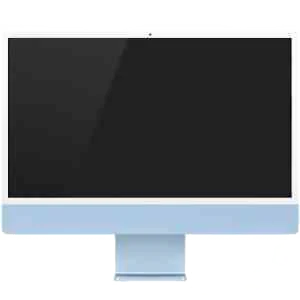 iMac 24" M4 (2024)from €99
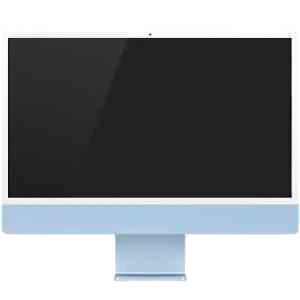 iMac 24" M3 (2023)from €99
 iMac 24" M1 (2021)from €99
 iMac 27" (2020)from €99
 iMac 27" (2019)from €99
 iMac 27" (2017)from €99
 iMac 21.5" (2019)from €99
 iMac 21.5" (2017)from €99
Repairs for iMac
iMac repair prices
A iMac repair costs from €79, VAT included. Pick your model for the exact price, repair time and warranty.
What we replace
This is the work we do on the iMac
- SSD upgrade: a faster, roomier drive for an iMac that feels slow or is full
- Approach per model: internal upgrade on Intel iMacs, alternatives on Apple Silicon
- Your data moves to the new drive, in consultation with you
The screen and processor often still perform fine; only the drive is holding things back. An upgrade like this pays off especially if you want to keep using your iMac for years to come.
How to recognize a worn-out drive
It starts gradually. At first only startup takes longer, later you’re also waiting when opening a folder or saving a file. Photo or video editing stutters on large files, and macOS keeps warning that little space is left, even after cleaning up. Recognize this? Then the drive is probably the culprit.
How your visit works
Appointment or drop by
Book an appointment via this page or walk into Antwerp or Wolvertem. Live further away? You can also mail in your iMac.
Diagnosis
A technician examines your iMac, confirms which SSD upgrade is possible for your model, and explains what happens. Only after you agree do we get to work.
Upgrade and test
The screen of an iMac is glued on and has to come off carefully before we can reach the drive. After the job we glue it back on. We test that everything starts up smoothly and that your files are there before you get your iMac back.
Watch out for water damage
Moisture on your iMac?
- Turn off the device right away and don’t restart it yourself
- Come in first for a diagnosis; only then do we know whether a repair makes sense
Get your iMac repaired: choose your model
Not sure which model you have? Click the Apple menu in the top left and choose "About This Mac". You’ll find the exact model and year there. Then check the price table on this page for the details and to book an appointment right away.
Why FIXNOW?
What customers say about their iMac repair
“Broke my laptop in class, walked in 3 hours later with no appointment and my screen was fixed the next day. Great and open communication about the procedure and price. Definitely recommend!!”
Reply from FIXNOW
Breaking your laptop mid-class is a rough moment, so we're glad you could just walk in without an appointment. We'd always rather talk you through the procedure and the price upfront than leave you guessing, and getting a laptop screen repair in Antwerp done by the next day is exactly what we hoped for here on the Wiegstraat.
 FIXNOW Antwerp
What customers write about

I came in for a battery replacement. I got clear details on what would happen. Quick and high quality repair. I would really recommend coming here!
Reply from FIXNOW
Knowing exactly what will happen before we start makes a battery replacement in Antwerp a lot less stressful, so it's good to read that the explanation landed well — and that the repair stayed quick without cutting corners. Your recommendation means a lot, Casper. If anything comes up with your phone later on, we're here for you.

So helpful, had a lot of stress due to not getting in my computer. However he made me feel like I was not a burden and let me do my thing untill I got it. Very nice people
Reply from FIXNOW
Being locked out of your own computer is stressful enough without feeling rushed, so we were glad to give you the time and space to work through it at your own pace. Lovely to read that the welcome felt that way — enjoy your computer now that you're back in!

Very fast delivery. Very friendly. And saved me a new phone. Would recommend!
Reply from FIXNOW
Saving you a new phone beats replacing it any day, and hearing that the speed and the friendly welcome came along with it makes it even better. Thanks for the recommendation, Glenn. Our team stays ready should anything else play up.

Came in for a loose charging port on a saturday morning, got helped fast with a professional clean, 10/10 service
Reply from FIXNOW
A loose charging port only gets worse if you leave it, so good timing walking in on Saturday morning. A careful clean often does the trick, and a charging port repair in Antwerp rarely keeps anyone waiting long. Enjoy that solid connection again!

great service...i brought my phone with a cable issue and it was fixed in minutes... totally recommended
Reply from FIXNOW
Enjoy your phone now that the cable issue is sorted, Konstantinos! Those are often quick fixes, and it's good this one only took minutes. Cable repairs in Antwerp are daily work for us, so swing by whenever something else starts acting up.

Excellent, fast work , professional, I recommend …. 😊😊😊👍

Walked in for quick fix/cleaning of charging port. Was immediately helped, no charge. Great guys!
Fast, efficient and really kind store staff! Absolutely recommend, my phone is as good as new now 🔝
Reply from FIXNOW
Beatrice, hearing that our team came across as kind as well as quick really made our day — that mix is what we hope people notice. Enjoy your phone now that it feels like new again, and warm greetings from all of us at the Wiegstraat.
Reviews come straight from Google and are not edited by us. This is a selection of recent reviews with text; all 1,958 reviews, including lower scores, are on Google.
Frequently asked questions
Most smartphone repairs are ready within 60 minutes. For MacBooks, tablets and motherboard repairs the duration depends on the repair; the indicative time is shown next to the price of each repair. You can wait in the store or pick up your device later — we’ll let you know as soon as it’s ready.
Not nearby? Send in your device
We do not create a shipping label for this device: you send it yourself with track & trace. We arrange the return. Available from Belgium, the Netherlands, France, Germany and Luxembourg.