
iPad charging port replacement
Your iPad won’t charge anymore, or only if you hold the cable at a certain angle. Annoying, because without charge your tablet sits idle. The cause is often the charging port itself: lint in the opening, or a port that no longer makes good contact.
Don’t think about a new device just yet: this is usually easy to fix. We run a diagnosis first and discuss the price, because sometimes the problem isn’t the port but the battery or the cable. You’re welcome at FIXNOW in Antwerp and Wolvertem. Your iPad is often ready while you wait.
Choose your model
 iPad 11 (A16)from €119
 iPad Air 13" M4from €149
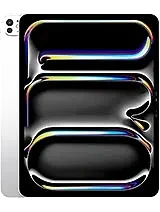 iPad Pro 13" M5from €189
 iPad Air 11" M4from €149
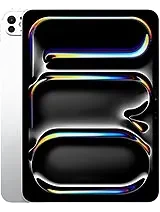 iPad Pro 11" M5from €189
 iPad Pro 13" M4 (2024)from €189
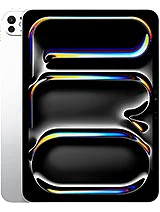 iPad Pro 11" M4 (2024)from €139
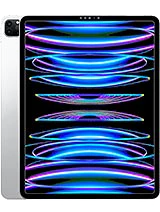 iPad Pro 12.9" M2 (2022)from €189
 iPad Pro 11" M2 (2022)from €139
 iPad Pro 12.9" M1 (2021)from €189
 iPad Pro 11" M1 (2021)from €139
 iPad Pro 12.9" (2020)from €169
 iPad Pro 11" (2020)from €129
 iPad Pro 12.9" (2018)from €169
 iPad Pro 11" (2018)from €109
 iPad Air 13" M3 (2025)from €149
 iPad Pro 12.9" (2017)from €169
 iPad Air 11" M3 (2025)from €149
 iPad Pro 10.5" (2017)from €149
 iPad Air 13" M2 (2024)from €149
 iPad Pro 9.7" (2016)from €149
 iPad Air 11" M2 (2024)from €149
 iPad Pro 12.9" (2015)from €169
 iPad Air 5 M1 (2022)from €129
 iPad 10th generation (2022)from €119
 iPad Air 4 (2020)from €129
 iPad 9th generation (2021)from €119
 iPad Air 3from €149
 iPad 8th generation (2020)from €119
 iPad Air 2from €129
 iPad Mini 7 A17 Pro (2024)from €119
 iPad 7th generation (2019)from €119
 iPad Airfrom €129
 iPad Mini 6 (2021)from €119
 iPad 6from €119
 iPad Mini 5 (2019)from €119
 iPad 5from €119
 iPad Mini 4 (2015)from €119
 iPad Mini 3 (2014)from €99
 iPad Mini 2 (2013)from €99
 iPad Mini (2012)from €99
Recognize this?
- Your iPad won’t charge anymore, even after a while on the cable
- Charging only works if you hold the cable at a certain angle or press it in
- Charging stops and starts randomly, without you changing anything
- The cable no longer clicks in firmly, but feels loose in the port
- There’s visible lint, dust or dirt in the opening
- Your computer no longer recognizes the iPad when you connect it
What you can try yourself first
- Try a different cable and a different adapter, many charging problems lie there and not in the iPad
- Shine a light into the port and carefully remove lint, never with a sharp object
- Leave your iPad on the charger for at least half an hour before deciding that charging no longer works
Doesn’t this help? Then the problem is probably in the port itself, or in the battery. We make that distinction during the diagnosis.
How FIXNOW handles it
Diagnosis
We test the port, the cable and the battery separately. That way we know for sure what the cause is before we replace anything. Then we discuss the price for your model, which you’ll also find on this page.
Repair
Up to and including the iPad 9 we replace the Lightning port, from the iPad 10, Air and Pro the USB-C port. On many models the port is soldered directly onto the logic board, so replacing it is precision work with microsoldering.
Testing
After the repair we charge your iPad again and check that the connection is stable once more. Only then do you get the device back.
If it turns out to be the battery after all
An iPad that won’t charge doesn’t always point to a broken port. Sometimes the battery is the real cause, while the symptoms look exactly the same. That’s why we check both during the diagnosis. This way you don’t pay for a repair that doesn’t solve the problem.
Frequently asked questions
Can I still use my iPad if the charging port is broken?
Yes, as long as the battery has charge. If it’s empty, you won’t be able to charge the device again until the port is repaired. So don’t wait too long to bring it in.
Is it always the charging port causing the problem?
No. Sometimes it’s the battery, sometimes just the cable or the adapter. That’s why we run a diagnosis first and discuss the price, so you know where you stand.
Will my iPad get a Lightning or a USB-C port?
That depends on your model. Up to and including the iPad 9, Apple uses Lightning; from the iPad 10, Air and Pro, that’s USB-C. We replace the port with the same type that belongs to your model.
Can I fix this myself by cleaning the port?
Sometimes, yes. Carefully removing lint can’t hurt and occasionally solves the problem right away. Just don’t poke sharp objects into the port, that damages the connector.
How long does the repair take?
That depends on your model and on what we find during the diagnosis. Your iPad is often ready while you wait. We discuss the expected time when you bring in the device.
Why is replacing an iPad’s charging port precision work?
On many iPad models the port is soldered directly onto the logic board. Replacing it then requires microsoldering, and not every repairer is equipped for that. At FIXNOW you can count on us for this in Antwerp and Wolvertem.
Our stores


FIXNOW Wolvertem
Wilgenlaan 19 bus 2, 1861 Wolvertem
Opening hours
+32 472 29 15 53