
iPad water damage repair
A knocked-over glass or a rain shower while you’re out and about: it doesn’t take much for an iPad. Unlike many iPhones, the device has no real seal against moisture. Water gets in through the charging port, the speaker holes, and the buttons, and from there works its way to the circuit board.
Is your iPad still working, or has it stopped altogether? Either way, the same rule applies: switch the device off and don’t charge it. As long as current runs through wet components, every second can cause a short circuit.
Choose your model
 iPad 11 (A16)from €79
 iPad Air 13" M4from €79
 iPad Pro 13" M5from €79
 iPad Air 11" M4from €79
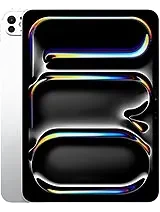 iPad Pro 11" M5from €79
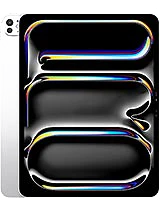 iPad Pro 13" M4 (2024)from €79
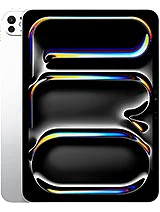 iPad Pro 11" M4 (2024)from €79
 iPad Pro 12.9" M2 (2022)from €79
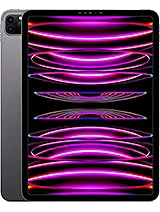 iPad Pro 11" M2 (2022)from €79
 iPad Pro 12.9" M1 (2021)from €79
 iPad Pro 11" M1 (2021)from €79
 iPad Pro 12.9" (2020)from €79
 iPad Pro 11" (2020)from €79
 iPad Pro 12.9" (2018)from €79
 iPad Pro 11" (2018)from €79
 iPad Air 13" M3 (2025)from €79
 iPad Pro 12.9" (2017)from €79
 iPad Air 11" M3 (2025)from €79
 iPad Pro 10.5" (2017)from €79
 iPad Air 13" M2 (2024)from €79
 iPad Pro 9.7" (2016)from €79
 iPad Air 11" M2 (2024)from €79
 iPad Pro 12.9" (2015)from €79
 iPad Air 5 M1 (2022)from €79
 iPad 10th generation (2022)from €79
 iPad Air 4 (2020)from €79
 iPad 9th generation (2021)from €79
 iPad Air 3from €79
 iPad 8th generation (2020)from €79
 iPad Air 2from €79
 iPad Mini 7 A17 Pro (2024)from €79
 iPad 7th generation (2019)from €79
 iPad Airfrom €79
 iPad Mini 6 (2021)from €79
 iPad 6from €79
 iPad Mini 5 (2019)from €79
 iPad 5from €79
 iPad Mini 4 (2015)from €79
 iPad Mini 3 (2014)from €79
 iPad Mini 2 (2013)from €79
 iPad Mini (2012)from €79
Does this sound familiar?
Check this yourself
- Your iPad fell into water or got a liquid spilled on it
- A haze or moisture patch under the glass that won’t clear
- A speaker that crackles or sounds distorted
- A charging port that no longer recognizes the cable
- A touchscreen that doesn’t respond in certain spots
- The device gets stuck on the Apple logo or won’t start anymore
Is your iPad still working fine after getting wet? Have it checked anyway. Corrosion works silently and sometimes causes a component to fail only later on.
What to do right now
Switch the iPad off completely and leave it off. Remove the SIM card on a Cellular model and take off the case and keyboard. Dab the openings dry with a soft cloth and lay the device down flat.
Avoid this
- Charging it or turning it on to test if it still works
- Using a hair dryer or placing it on a heater: heat pushes moisture further inside
- Putting it in rice: rice doesn’t dry the inside and leaves dust in the ports
How we go about it
Opening and inspecting
We disassemble the iPad, disconnect the battery, and examine the circuit board under a microscope: where did the moisture get in, and what’s affected?
Ultrasonic cleaning
Affected parts go into an ultrasonic cleaning bath. That removes corrosion and mineral residue you’d never get out by hand.
Thorough drying
Everything dries completely before we reconnect anything. Cleaning and drying can’t be rushed.
Discussing the diagnosis
Only then do you hear what’s been affected, what we can repair, and where it remains uncertain. You decide whether we continue.
Are the photos or documents on the iPad more important to you than the device itself? Let us know. Then we focus the diagnosis on that first: as long as the memory is intact, there’s often more to save than you’d think.
What makes the difference
The type of liquid matters. Pure water causes the least damage, salt water corrodes metal, and sugary drinks leave a sticky, conductive film behind after drying. Timing matters too: a few splashes you dry off right away are quite different from a night in a wet bag. The sooner your iPad is on our workbench, the more there is to save.
Screen, battery, and charging port are what we replace most often after water damage, along with speakers and microphones with corrosion. If the logic board itself is affected, we look at what’s feasible on a case-by-case basis. Sometimes the honest answer is that a repair is no longer worthwhile — and we’ll tell you that too.
Warranty and price
You get a warranty on the parts we replace, as with any repair. On the water damage itself we don’t promise a full warranty: moisture and corrosion can continue to affect parts that still seemed fine during testing. That’s why we test your iPad thoroughly before we hand it back, and tell you what to watch out for going forward.
With us, water damage starts with an inspection, not a price pulled out of thin air. Once it’s clear which parts need replacing, you’ll hear the fixed price for your model, and you pay afterward. FIXNOW helps you in Antwerp and Wolvertem, or you can mail in your device.
Frequently asked questions
Most smartphone repairs are ready within 60 minutes. For MacBooks, tablets and motherboard repairs the duration depends on the repair; the indicative time is shown next to the price of each repair. You can wait in the store or pick up your device later — we’ll let you know as soon as it’s ready.
Our stores


FIXNOW Wolvertem
Wilgenlaan 19 bus 2, 1861 Wolvertem
Opening hours
+32 472 29 15 53