iPhone battery draining fast: what we see during diagnosis
Written by Pavel MaksymenkoLast updated: 19 August 2026Reading time: 5 min

Your iPhone won’t make it through the evening, and by midday you’re already looking for an outlet. That feels like a clear verdict on the battery, but on our workbench, that turns out not always to be the case.
We see three causes come up remarkably often during diagnosis. Two of them are actually battery-related. The third isn’t a defect at all, but a setting in iOS that many owners don’t know about — and that alone explains why a phone can suddenly feel like it’s "dying" faster.
Before we replace a battery, we at FIXNOW first check which of the three applies to your iPhone. That sometimes saves you a replacement that turns out not to be necessary.
The three causes we see during diagnosis
A worn-out battery
During diagnosis, we look at the battery’s wear and at how many charge cycles it has already gone through. Our rule of thumb in the workshop: if your iPhone gets through a full day without charging in between, the battery doesn’t need to be replaced.
A swollen battery
We see this cause mostly in summer. An iPhone that’s been left in full sun for a while — on the dashboard, on a terrace table — heats up significantly, and that heat triggers a chemical reaction in the battery that causes it to swell. The screen then visibly starts to lift away from the housing. We’ll go into more detail on this further down in the article, because this one calls for prompt action.
The 80% charge limit you didn’t know about
iOS has a built-in charge limit: under Settings → Battery → Charging, you can set your iPhone to never charge past 80%. If that option is on, your device simply runs out faster — not because anything is broken, but because the day already starts at 80% instead of full. During diagnosis, we regularly find that people don’t realize this setting is active on their phone.
Check your Battery Health first
Under Settings → Battery → Battery Health, you can see how much of the original maximum capacity your battery still has. Apple draws the line at 80%: below that, the system considers the battery worn out. Our experience in the workshop confirms this: at 79% and below, an iPhone typically needs an extra charge once or twice a day.

The four things we check first when an iPhone battery drains fast.
A swollen battery: don’t wait
The swollen battery we mentioned above is more than a cosmetic issue. It’s a chemical reaction to heat, and the screen lifting because of it calls for quick action. Anyone who keeps using the phone like this runs a real risk: the screen can crack, or the edge and the cables underneath can get damaged by the pressure building up from inside. What could have stayed a simple battery replacement then becomes a battery and a screen — and a screen clearly adds more to the cost.
Do you notice a gap along the edge of the screen, or is the screen visibly lifted? Stop charging the device and bring it in.
Battery draining faster after an iOS update?
Honestly, yes, that does happen. A major iOS update is primarily tuned for the newest processors, and older devices have to work harder to keep up. That’s normal and usually temporary.
In our experience, this usually settles down again after a while. If you notice it right after a major update, it’s worth waiting for the next minor update, since that typically brings further adjustments.
How a battery replacement works with us
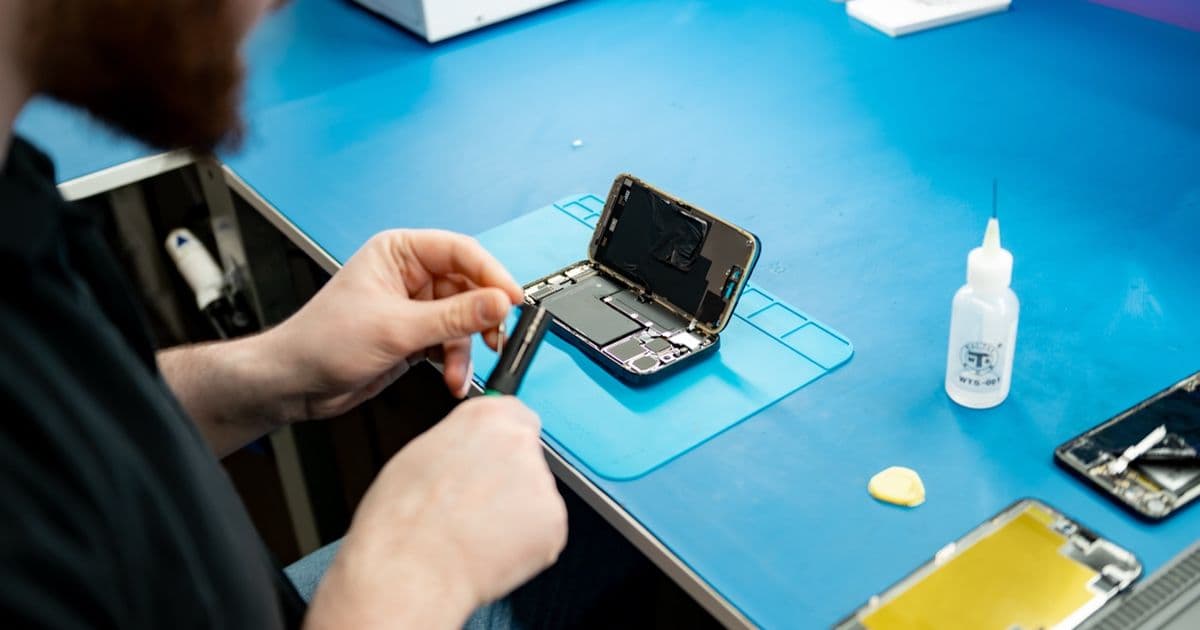
We start with the same diagnosis as above: checking wear and charge cycles, so you know whether replacement is actually the right step. If it is, we open the device, replace the battery and also fit a new original water-resistant adhesive seal — it keeps the device properly sealed after the repair.

The worn battery next to the new one: the same original type (A2863), ready for fitting.

The device cleared of the old adhesive; on the right, the new original water-resistant seal we fit.

The new battery is in place and the seal applied — ready to close the device.
After the replacement we finish the repair in software. On recent models, Apple’s own check then confirms in black and white that the fitted battery is a genuine Apple part — you can see it right on the screen.

After the replacement, Apple’s own check confirms on the device: the fitted battery is a genuine Apple part.
Then we test the device fully. Often you’re done while you wait.
Check out the battery replacement per model: a fixed price per model, and you pay only after the repair.
Frequently asked questions
Under Settings → Battery, you can see usage per app over the past few days. The screen itself, navigation apps, and the camera usually top the list.
Not nearby? Send in your device
Choose a FIXNOW shipping label, with extra protection if you want, or send it yourself with track & trace. You only pay after the repair. Available from Belgium, the Netherlands, France, Germany and Luxembourg.

Written by
Pavel Maksymenko · Owner of FIXNOW
Pavel Maksymenko is the owner of FIXNOW, with shops in Antwerp and Wolvertem. Trained as an electronics and ICT engineer, he has more than 15 years of experience repairing electronics. On this blog he writes about what the team sees every day in the workshop while repairing smartphones, tablets and laptops.
See our tips more often on Google?
Add FIXNOW to your preferred sources to see more of our articles in Google Search.