MacBook won’t turn on: is it the logic board?
Written by Pavel MaksymenkoLast updated: 25 September 2026Reading time: 8 min

A MacBook that won’t turn on rarely gives away the cause right away. On some units, the fan still spins while the screen stays black. On others, nothing happens at all when you press the power button, even though the machine worked fine the day before.
In our workshop, the logic board is the most common cause, and behind many of those board problems is moisture that got in a long time ago. First check for yourself that the charger and the wall outlet are working. If the machine still won’t respond, a proper measurement gets you an answer faster than more attempts at home.
Your MacBook won’t turn on: what can you try yourself?
If the MacBook has stayed dry, there are a few things you can safely check yourself. Plug the charger into an outlet you know works, and try a different cable or adapter if you have one on hand. If your MacBook has more than one USB-C port, try charging through a different port as well.
Won’t start after a fully drained battery
If the battery has drained completely, leave the MacBook on the charger for a while before trying to start it up. With a fully empty battery, the machine needs some charge before it can boot, and the screen stays black in the meantime.
Forced restart
Sometimes a MacBook looks like it’s off when it’s actually on and has frozen. Hold the power button down for about ten seconds until the machine shuts off completely, release it, and press again to start it up.
Older MacBooks with an Intel processor also have an SMC reset, for the controller that handles charging among other things. The key combination differs per model and is listed on Apple’s support site. MacBooks with Apple Silicon don’t have that separate reset.
If the MacBook has taken in moisture, skip all of these steps. Applying power to a wet board can make the damage worse.
What we measure before opening the machine
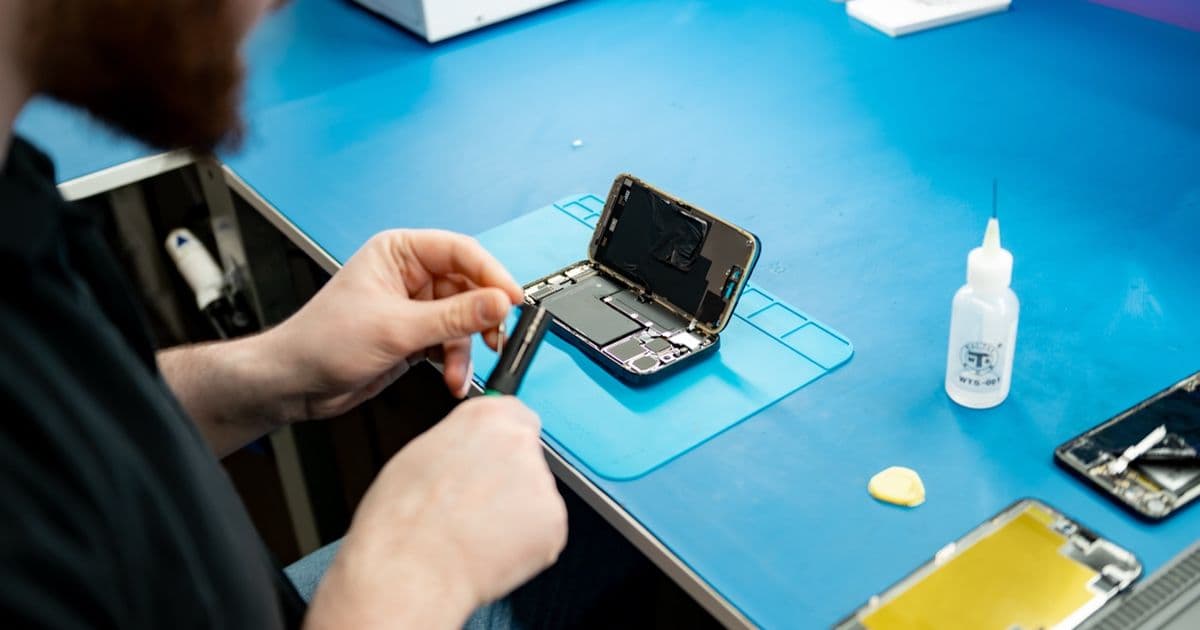
For a MacBook with USB-C, diagnosis starts before any screwdriver comes out. We connect the machine to the charger with a USB-C tester in between and read off the voltage the MacBook requests. If the meter shows 20 volts, the board’s power supply is generally fine and we look for the cause elsewhere. If it stays stuck at 5 volts, there’s a short circuit somewhere or a component isn’t working as it should, and we investigate the board further.
Only after that does the case come open. We check whether the charging port itself is short-circuited and test the backlight and the screen. A MacBook can run perfectly while only the display fails, and to the user it simply looks dead.
How often is it really the logic board?
Of ten MacBooks that come in to us because they won’t turn on, around five turn out to be the logic board. In two or three, the problem sits in the charging circuit: the charging port or the charging chip on the board. The rest is a mix, including units where only the screen or the backlight has failed.
We don’t track numbers per model. Both the MacBook Air and the MacBook Pro come in with this problem, from older Intel machines to recent Apple Silicon models.
Why a MacBook suddenly stops starting up: water from long ago
In roughly eight out of ten board problems we see, moisture got into the machine at some point. That incident can have happened a long time ago and may have seemed harmless at the time. Corrosion then slowly builds up on the board while the MacBook keeps working normally. Sometimes that takes months, until one ordinary day it simply won’t start.
If you know water has gotten onto the machine, don’t wait to see whether it sorts itself out. That’s a mistake we see often. Even a MacBook that looks dry on the outside keeps corroding on the inside, so bring it in for cleaning as soon as possible.
If you can’t come in right away, open the MacBook. If it’s on, hold the power button until it shuts off. Then lay it keyboard-down on a towel at the edge of a table, so the screen hangs over the edge. Don’t stand it up like a tent: that lets water run toward the screen’s backlight. Don’t plug a MacBook that has gotten wet into the charger either, not even briefly to see if it still responds. You can read how we clean and repair a machine like that at MacBook water damage repair.
When should you stop trying?
If you smell burning, stop immediately. The same applies if the MacBook gets warm while the screen stays black and nothing else happens, since that can point to a short circuit. Plugging it back in or restarting again won’t fix that, and can make the damage to the board worse. Unplug the charger and have the machine looked at.
What happens to your files?
On recent MacBooks, the storage is soldered onto the logic board. You can’t remove it and put it into another computer, the way you could with an old-style hard drive. Desoldering the memory chips and transferring them doesn’t work either: they’re tied to the processor, and the data on them is encrypted.
That’s why we recover data by repairing the logic board itself. Once the MacBook starts up again, we can secure the files and you can keep using the machine. We regularly get in a MacBook whose board was written off elsewhere as a lost cause, with a request to at least save the files. Quite often we manage to recover the data and get the machine itself running again too.
When you bring the machine in, it helps to give us your login password. After the repair, we test the full functionality, for example that the machine doesn’t restart on its own.
Sometimes it doesn’t work out. If the circuit board is badly burnt or the memory chips themselves are damaged, the board can no longer be repaired, and the data can’t be recovered either. You can read more about that side of the work at data recovery at FIXNOW.
Replace the logic board, or repair it?
An authorized service center replaces the logic board. We repair it at component level. Usually it’s a single faulty component on the board that stops it from starting, for example because it’s short-circuiting to ground. We track down that component and replace it with microsoldering equipment.
On a MacBook with soldered storage, that difference matters for your data too. A new logic board comes with its own, empty storage. If your own board is repaired instead, your data generally stays right where it is.
We do all logic board repairs ourselves, in our own workshop with microsoldering equipment. Depending on the damage, a repair usually takes 1 to 7 days.
FIXNOW’s advice
If you’re not sure whether it’s the charger or the board, have it measured before you start unscrewing anything or keep leaving it on the charger. On the MacBook logic board repair page, you’ll see the starting price for each problem, from the charging chip to the backlight. You can book an appointment with FIXNOW in Antwerp or Wolvertem.
If your MacBook does start up but you see lines or blotches on the screen, our article on MacBook screen lines is a better fit. And keep a cloud backup of anything you can’t afford to lose, so your work isn’t at risk if the board ever fails.
Frequently asked questions
Not necessarily. That problem often sits in macOS or in the storage. Don’t wipe the drive yourself if there are still files on it that you need. If the logo stays stuck on a MacBook that was already acting up before, or that got wet at some point, have the board checked too, since a board fault can also stall the startup halfway through.
Not nearby? Send in your device
Choose a FIXNOW shipping label, with extra protection if you want, or send it yourself with track & trace. You only pay after the repair. Available from Belgium, the Netherlands, France, Germany and Luxembourg.

Written by
Pavel Maksymenko · Owner of FIXNOW
Pavel Maksymenko is the owner of FIXNOW, with shops in Antwerp and Wolvertem. Trained as an electronics and ICT engineer, he has more than 15 years of experience repairing electronics. On this blog he writes about what the team sees every day in the workshop while repairing smartphones, tablets and laptops.
See our tips more often on Google?
Add FIXNOW to your preferred sources to see more of our articles in Google Search.