Lines on your MacBook screen: what’s actually broken?
Written by Pavel MaksymenkoLast updated: 19 August 2026Reading time: 5 min

Lines on a MacBook screen feel like bad news for the entire device. That’s usually premature: in practice, one component is the cause, and that component largely determines how much the repair costs.
In our workshop, we see three causes come up again and again, and they differ in approach and in price. A worn cable calls for a different fix than a cracked panel, and a faulty graphics chip is a whole different story.
Without opening the device, that distinction isn’t always visible to the naked eye. That’s why at FIXNOW we first take a thorough look at your MacBook before proposing a price or a solution.
The three causes we see in the workshop
A worn display cable (flexgate) on older models
On older MacBook models, the display cable — the flex cable between the screen and the body — runs over the same fold every time you open and close the lid. Over time, the cable wears through at that spot and the contacts start to fail: briefly at first, then permanently. On the screen, you’ll see this as vertical lines, often together with a lighter bar at the bottom, the so-called stage light effect. This combination is known as flexgate.
A cracked LCD panel from mechanical damage
A second cause is a cracked LCD panel, usually after a drop or a knock on the closed lid. The lines then visibly run outward from the crack itself across the screen. Here, the cause can usually be traced back to a moment you still remember.
The graphics chip: rare
The third cause isn’t in the screen itself, but in the graphics chip on the motherboard. This is rare in our workshop, but if there’s any doubt, we check for it, because a new screen won’t fix that.
Not sure which of the three applies to your device? On our MacBook repairs page you’ll find an overview by model and by component.
Can you replace just the cable?
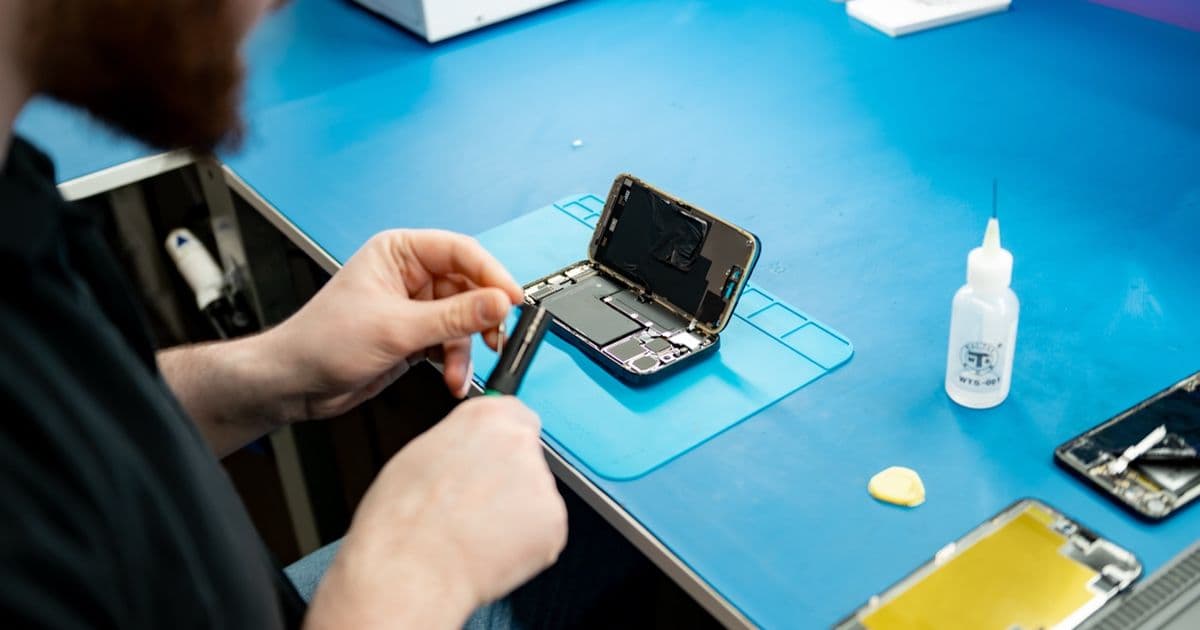
Yes, that’s possible, and we’ve actually done it. It isn’t simple. The panel has to be detached from the lid without damage, because the panel and the backlight are fragile. After that, the old cable is desoldered and a new one soldered in, in a spot with very little room to work.
That takes time, and the risk of damage during the procedure is real. As a result, a standalone cable replacement barely comes out cheaper in practice than replacing the panel itself. We discuss this option honestly, but we don’t present it as a cheap alternative.

The solder pads of the cable and panel up close: fractions of a millimetre matter here.
Why we replace the panel and not the whole lid
Many repair services immediately replace the entire display lid when there are lines on the screen: panel, backlight, and housing all at once. For the repair service, that’s the easiest route. For you, it’s usually an unnecessarily expensive one, because in most cases only the LCD panel is broken, while the backlight and housing of your own lid still work perfectly.
We’ve specialized in replacing just the panel. It’s a technically demanding repair — few repair services offer this, precisely because the panel has to be carefully separated from the lid without damaging the rest. At FIXNOW, we do offer this, and we give up to 1 year warranty on it.
The result: an original panel, combined with your own original backlight and housing. This keeps your screen as original as possible, and you don’t pay for parts that still work.

An original LCD panel (A2485, 16" MacBook Pro) ready to be fitted into the customer’s own lid.

Original backlight strips in stock (here for the 13" and 15" MacBook Air M3): if the backlight burns out, we replace that too.

The three causes of screen lines we see in the workshop, and why we replace only the panel where possible.
What most often cracks a MacBook screen?
In our workshop, one cause of cracked screens stands out for coming back again and again: a webcam privacy cover over the camera. Such a cover sticks out just a bit too far, and the moment the lid closes, that plastic presses right onto the panel. The same thing happens when a MacBook with this kind of cover sits in a backpack and something leans against it.
A second recurring cause is simpler: a forgotten charger or an object left on the keyboard when the lid closes.
Do you use a privacy cover? Remove it before you close the lid, or choose an ultra-thin version. A quick glance at the keyboard before you close it prevents a lot of trouble.
Frequently asked questions
The price differs per model: an older MacBook Air needs a different panel than a recent MacBook Pro. On the site, you’ll find a fixed price per model, and you only pay after the repair. Check the price per model for your MacBook.
Not nearby? Send in your device
Choose a FIXNOW shipping label, with extra protection if you want, or send it yourself with track & trace. You only pay after the repair. Available from Belgium, the Netherlands, France, Germany and Luxembourg.

Written by
Pavel Maksymenko · Owner of FIXNOW
Pavel Maksymenko is the owner of FIXNOW, with shops in Antwerp and Wolvertem. Trained as an electronics and ICT engineer, he has more than 15 years of experience repairing electronics. On this blog he writes about what the team sees every day in the workshop while repairing smartphones, tablets and laptops.
See our tips more often on Google?
Add FIXNOW to your preferred sources to see more of our articles in Google Search.