
MacBook water damage repair
Coffee over the keyboard or water from a bottle: the first thing on your mind is whether your MacBook will survive this. That depends on what was spilled and how quickly you act now.
Water damage has no fixed recipe. FIXNOW opens up the device, sees what the moisture has affected, and tells you honestly what can still be saved. In Antwerp or Wolvertem, or you can mail in your MacBook.
Choose your model
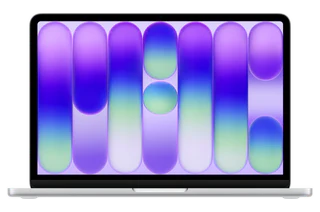 MacBook Neo 13" A18 Pro (2026)from €99
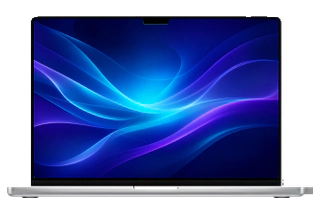 MacBook Pro 16" M5 Profrom €99
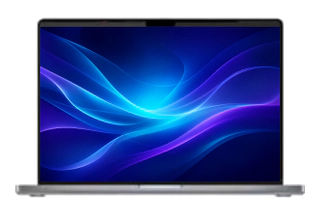 MacBook Pro 14" M5from €99
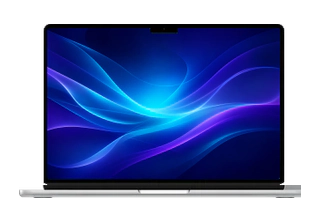 MacBook Air 13" M5from €99
 MacBook Pro 16" M5 Maxfrom €99
 MacBook Pro 14" M5 Profrom €99
 MacBook Air 15" M5from €99
 MacBook Pro 14" M5 Maxfrom €99
 MacBook Air 15" M4 (2025)from €99
 MacBook Air 13" M4 (2025)from €99
 MacBook Air 15" M3 (2024)from €99
 MacBook Air 13" M3 (2024)from €99
 MacBook Air 15" M2 (2023)from €99
 MacBook Air 13" M2 (2022)from €99
 MacBook Air 13" M1 (2020)from €99
 MacBook Air 13" (2020 Intel)from €99
 MacBook Air 13" (2019)from €99
 MacBook Air 13" (2018)from €99
 MacBook Air 13" (2017)from €99
 MacBook Pro 14" M4 Max (2024)from €99
 MacBook Pro 14" M4 Pro (2024)from €99
 MacBook Pro 14" M4 (2024)from €99
 MacBook Pro 14" M3 Pro (2023)from €99
 MacBook Pro 14" M3 (2023)from €99
 MacBook Pro 14" M2 Pro (2023)from €99
 MacBook Pro 16" M4 Max (2024)from €99
 MacBook Pro 14" M1 Pro (2021)from €99
 MacBook Pro 16" M4 Pro (2024)from €99
 MacBook Pro 16" M3 Max (2023)from €99
 MacBook Pro 16" M3 Pro (2023)from €99
 MacBook Pro 16" M2 Max (2023)from €99
 MacBook Pro 16" M2 Pro (2023)from €99
 MacBook Pro 16" M1 Max (2021)from €99
 MacBook Pro 13" M2 (2022)from €99
 MacBook Pro 16" M1 Pro (2021)from €99
 MacBook Pro 13" M1 (2020)from €99
 MacBook Pro 16" (2019)from €99
 MacBook Pro 13" (2020 Intel)from €99
 MacBook Pro 13" (2019)from €99
 MacBook Pro 13" (2018)from €99
 MacBook Pro 13" (2017)from €99
 MacBook Pro 15" (2019)from €99
 MacBook Pro 15" (2018)from €99
 MacBook Pro 15" (2017)from €99
Recognize this?
Check this right after the spill
- The screen stayed on or only failed later
- You restarted the device to see if it still worked
- There’s moisture under the keyboard or around the ports
- The MacBook was still plugged into the charger after the spill
- Coffee, soda or something other than pure water got spilled on it
The more of these you recognize, the greater the chance the logic board has taken more damage than just a wet keyboard.
What to do now, and especially what not to do
Turn the MacBook off immediately
Hold down the power button until the screen goes black. Then unplug the charger and all cables.
Lay it upside down
Keyboard facing down, on a towel. That way moisture drains away from the logic board instead of into it.
Come in as soon as possible
As long as there’s power on the device, moisture combined with current eats a path through the logic board. The sooner we take a look, the more can be saved.
Don’t do this
- Don’t restart it to test: that one attempt can still cause a short circuit
- No hair dryer or other heat on the device
- No bag of rice: the moisture under the connectors just stays put
- Dry on the outside doesn’t mean dry on the inside
How we work
We fully disassemble the device and first disconnect the battery, so there’s no power anywhere. Then the logic board goes under the microscope: corrosion starts as a dull, greenish edge that’s easy to miss with the naked eye. With resistance measurements we track down short circuits that are invisible from the outside.
Affected components go into an ultrasonic bath and are treated with isopropyl alcohol and a corrosion remover. Everything dries thoroughly before anything goes back in. Extra attention goes to the spots where moisture likes to linger most: the power circuit and the keyboard and trackpad connectors. After reassembly we test startup, charging, keyboard, trackpad, wifi, ports and speakers.
What can be fixed, what can’t
Keyboard, trackpad, battery, fan or port: we simply replace them. There’s often something to be done on the logic board itself too: our technician desolders a failed component and replaces it. If the damage spreads across large parts of the board, we’ll tell you so, and you discuss with us whether a repair still makes sense.
What was spilled makes a difference. Pure water that’s removed quickly leaves few traces. Coffee and soda are more aggressive: sugar and salts conduct current and stay sticky, even once the moisture seems long gone. On modern MacBooks, storage is soldered directly onto the logic board, so data recovery and board repair go hand in hand.
MacBook Air and MacBook Pro, old and new
We handle water damage on MacBook Air and MacBook Pro, from the older Intel generations to the current M-chip models. On Apple Silicon, everything sits tightly packed together, including storage, so every wet millimeter counts. Older Intel MacBooks more often show damage around the keyboard or ports while the board stayed dry; those cases usually turn out well. During the diagnosis, you’ll hear what this means for your model.
Why FIXNOW
With water damage, what you need most is someone who’s honest. After the diagnosis, we tell you what can be saved and what can’t. You decide. On the completed repair you get a warranty on our work, not on new water damage.
Choose your model above for the fixed price per repair. For a water damage diagnosis, book an appointment in Antwerp or Wolvertem, or mail in your MacBook.
Frequently asked questions
Most smartphone repairs are ready within 60 minutes. For MacBooks, tablets and motherboard repairs the duration depends on the repair; the indicative time is shown next to the price of each repair. You can wait in the store or pick up your device later — we’ll let you know as soon as it’s ready.
Our stores


FIXNOW Wolvertem
Wilgenlaan 19 bus 2, 1861 Wolvertem
Opening hours
+32 472 29 15 53