
Repairing iPhone water damage
iPhone fallen in water, or wet from rain or a spilled drink? Turn the device off immediately. As long as current runs through wet circuits, the moisture causes more damage. The faster you switch it off and bring it in, the more we can save.
You can never tell from the outside where the water got in. That’s why at FIXNOW we always open every iPhone with water damage first. Only then do we know what’s going on and what we can do for you.
Choose your model
 iPhone 18 Pro Maxfrom €79
 iPhone 18 Profrom €79
 iPhone Duofrom €79
 iPhone 17 Pro Maxfrom €79
 iPhone 17 Profrom €79
 iPhone 17from €79
 iPhone 17 Airfrom €79
 iPhone 17efrom €79
 iPhone 16 Pro Maxfrom €79
 iPhone 16 Profrom €79
 iPhone 16 Plusfrom €79
 iPhone 16from €79
 iPhone 16efrom €79
 iPhone 15 Pro Maxfrom €79
 iPhone 15 Profrom €79
 iPhone 15 Plusfrom €79
 iPhone 15from €79
 iPhone 14 Pro Maxfrom €79
 iPhone 14 Profrom €79
 iPhone 14 Plusfrom €79
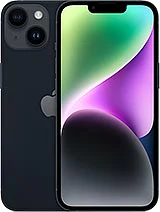 iPhone 14from €79
 iPhone 13 Pro Maxfrom €79
 iPhone 13 Profrom €79
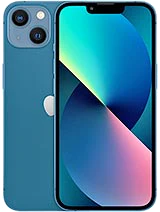 iPhone 13from €79
 iPhone 13 Minifrom €79
 iPhone 12 Pro Maxfrom €79
 iPhone 12 Profrom €79
 iPhone 12from €79
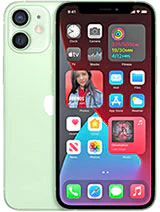 iPhone 12 Minifrom €79
 iPhone 11 Pro Maxfrom €79
 iPhone 11 Profrom €79
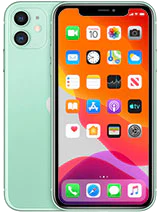 iPhone 11from €79
 iPhone XS Maxfrom €79
 iPhone XSfrom €79
 iPhone XRfrom €79
 iPhone Xfrom €79
 iPhone 8 Plusfrom €79
 iPhone 8from €79
 iPhone 7 Plusfrom €79
 iPhone 7from €79
 iPhone SE 2022 (3rd gen)from €79
 iPhone SE 2020 (2nd gen)from €79
Does this sound familiar?
Check this after a wet device
- The device won’t start up, or keeps switching off
- Buttons or speaker no longer respond normally
- Fog or a stain under the screen
- Charging doesn’t work, or the connection keeps dropping
- Blurry photos due to condensation behind the camera lens
- The device gets warm or smells strange
Recognize any of these signs? Then don’t wait. Corrosion doesn’t stop on its own, even if the device still seems to work.
What’s best to do right now
Right after contact with water
- Switch the device off, even if it still works
- Don’t plug a cable into the charging port, not even to test
- Remove the case and screen protector, so no moisture stays trapped
- Remove the SIM tray, so moisture can escape through that opening
- Pat the outside dry with a soft cloth
- Come by the same day in Antwerp or Wolvertem
How we work
Diagnosis
We check which functions still work and look at the moisture indicator in the SIM card slot. It changes color after contact with water.
Disconnecting the battery
We open the device and first disconnect the battery. That way no current runs through wet circuits anymore.
Cleaning
We remove moisture and corrosion from the circuit board and connectors using cleaning agents that are gentle on the electronics.
Assessment
For each component we determine what’s still fine and what needs replacing. We discuss that with you first.
Repair and testing
We replace what’s broken, often the battery, the charging port or the screen. Then we test startup, charging, touch, camera, sound and microphone.
What to watch out for with water damage
This makes it worse
- Don’t blow air into the openings and don’t use a hair dryer. Warm air pushes moisture deeper inside
- Don’t put the device in rice. That dries the outside at most, while the corrosion inside keeps going
- A swollen battery after water damage is a risk in itself. Stop using the device and don’t leave it charging unattended
- Not every case of water damage can be repaired. If the device sat in water a long time, or it was salt or chlorine water, the corrosion sometimes runs too deep. We’ll tell you honestly after the diagnosis
What we see in practice
The battery, the charging port and the screen are the most vulnerable. The charging port corrodes quickly because it’s in open contact with outside air. The screen gets moisture stains behind the glass. On the circuit board the damage runs deepest: connections that fail without you noticing anything.
Can’t come to Antwerp or Wolvertem right away? You can also mail it in. With water damage every day counts, so don’t wait too long.
Fixed price per model
What water damage costs depends on what the water has affected. Just opening, cleaning and checking is different from a cleaning plus a new battery or a new screen. Once it’s open we know what’s needed, and we discuss that with you before we continue.
Choose your model above for the fixed price and the warranty that comes with it.
Frequently asked questions
Most smartphone repairs are ready within 60 minutes. For MacBooks, tablets and motherboard repairs the duration depends on the repair; the indicative time is shown next to the price of each repair. You can wait in the store or pick up your device later — we’ll let you know as soon as it’s ready.
Our stores


FIXNOW Wolvertem
Wilgenlaan 19 bus 2, 1861 Wolvertem
Opening hours
+32 472 29 15 53