
MacBook screen replacement
A crack in your MacBook screen? Or lines, spots or a dark band in the image? Bring your MacBook to FIXNOW: we start with a diagnosis and tell you exactly what is broken and what the repair costs.
Good to know: screen damage does not automatically mean a complete new display lid. On many models we only fit an original display panel inside your own lid. The housing with hinges, camera and original backlight stays in place, which saves on the price.
Choose your model
 MacBook Pro 16" M5 Profrom €899
 MacBook Pro 14" M5from €849
 MacBook Air 13" M5from €459
 MacBook Pro 16" M5 Maxfrom €899
 MacBook Pro 14" M5 Profrom €849
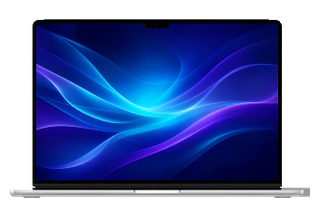 MacBook Air 15" M5from €499
 MacBook Pro 14" M5 Maxfrom €849
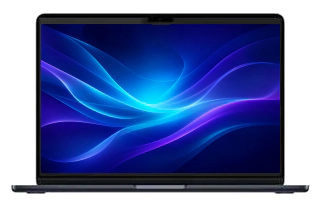 MacBook Air 15" M4 (2025)from €499
 MacBook Air 13" M4 (2025)from €459
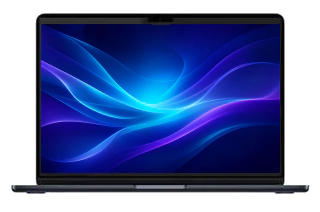 MacBook Air 15" M3 (2024)from €399
 MacBook Air 13" M3 (2024)from €349
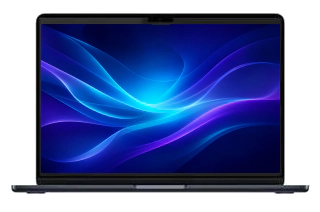 MacBook Air 15" M2 (2023)from €399
 MacBook Air 13" M2 (2022)from €349
 MacBook Air 13" M1 (2020)from €349
 MacBook Air 13" (2020 Intel)from €299
 MacBook Air 13" (2019)from €299
 MacBook Air 13" (2018)from €299
 MacBook Air 13" (2017)from €299
 MacBook Pro 14" M4 Max (2024)from €849
 MacBook Pro 14" M4 Pro (2024)from €849
 MacBook Pro 14" M4 (2024)from €849
 MacBook Pro 14" M3 Pro (2023)from €649
 MacBook Pro 14" M3 (2023)from €649
 MacBook Pro 14" M2 Pro (2023)from €649
 MacBook Pro 16" M4 Max (2024)from €899
 MacBook Pro 14" M1 Pro (2021)from €649
 MacBook Pro 16" M4 Pro (2024)from €899
 MacBook Pro 16" M3 Max (2023)from €649
 MacBook Pro 16" M3 Pro (2023)from €649
 MacBook Pro 16" M2 Max (2023)from €649
 MacBook Pro 16" M2 Pro (2023)from €649
 MacBook Pro 16" M1 Max (2021)from €649
 MacBook Pro 13" M2 (2022)from €349
 MacBook Pro 16" M1 Pro (2021)from €649
 MacBook Pro 13" M1 (2020)from €349
 MacBook Pro 16" (2019)from €699
 MacBook Pro 13" (2020 Intel)from €329
 MacBook Pro 13" (2019)from €329
 MacBook Pro 13" (2018)from €329
 MacBook Pro 13" (2017)from €329
 MacBook Pro 15" (2019)from €649
 MacBook Pro 15" (2018)from €649
 MacBook Pro 15" (2017)from €649
Recognise this? Check it yourself first
Take a good look at your screen
- Crack or spiderweb on the screen: the panel is damaged, but the lid and hinges are often still fine.
- Lines, stripes or a flickering image: the panel is damaged or a display cable is wearing out.
- Dark band or 'stage light' at the bottom of the image: the backlight is partially failing.
- Black, yellow or purple spots that keep growing: the panel is damaged or moisture has got between the layers.
- MacBook starts up, keyboard lights up, but the image stays black: loose cable or broken backlight.
- Screen sits crooked or the lid no longer closes smoothly: usually a bent hinge after a fall.
Not sure what exactly is broken? You don’t have to figure it out yourself: our technician starts with a diagnosis and discusses with you what is needed. Below you can read the difference between a panel replacement and a full lid.
Panel or full lid: what do we replace?
A MacBook screen is one unit: the display panel is fixed inside the display lid, the housing with hinges and camera. Unlike an iPhone, there is no separate glass layer we can replace on its own. In a fall it is usually the panel that gets damaged, while the lid itself is still fine.
Only the display panel
Do you see a crack, lines or spots in the image? Then the panel is damaged. Where possible we fit an original panel inside your own lid: the original backlight, hinges and camera stay in place. That keeps your screen as original as possible — and it is usually more affordable than replacing the full lid.
The full display lid
Is the housing itself bent or damaged, or is the backlight affected? Then we fit the complete display lid, including camera and hinges. We do the same when your model does not allow a separate panel replacement.
How we go about it

Diagnosis
We test the image, backlight and cables and confirm what exactly is broken. We only start the repair after your approval.
Disconnecting the battery
The MacBook is fully switched off and the internal battery is disconnected. That way there is no power on the display cables.
Removing the screen
We detach the display lid and carefully disconnect the display cable, camera cable and antennas at the hinge.
Fitting the panel or lid
We mount an original panel in your own lid, or fit a complete display lid if the housing or backlight is damaged.
Testing and finishing
We test brightness, colour rendering, camera and microphones. Only when the lid opens and closes smoothly again is the repair complete.

Panels for many common models are in stock, so a screen repair is usually ready the same day. The repair is covered by a warranty of up to 1 year.
Careful with a cracked screen
How to prevent further damage
- Don’t keep typing on a damaged screen: the damage often spreads.
- Don’t close the lid on an earbud, pen or cable: it presses straight into the screen when closing.
- We advise against taking it apart yourself. The display and camera cables near the hinge are thin and break easily.
- Suspect moisture behind the crack? Switch the MacBook off and keep it closed so nothing seeps in further.
Protecting your screen after the repair
Open the lid from the middle, not from a corner, and never lift your MacBook by the screen. Before closing, check that nothing is lying on the keyboard. On the move, a padded sleeve or a separate laptop compartment protects against pressure in a full bag.
Choose your model above for the price per model and book an appointment in Antwerp or Wolvertem right away. Live further away? You can also send in your MacBook.
Frequently asked questions
How much does a MacBook screen replacement cost?
The price depends on the model: an Air panel is more affordable than the Liquid Retina XDR screen of a recent Pro. Choose your model above for the fixed price, or request a quote by e-mail. You only pay after the repair.
My MacBook screen shows lines or spots — can it be repaired?
Yes. Lines, spots or a dark band usually mean the panel is damaged. Where possible we fit an original panel inside your own lid, keeping the original backlight. After the diagnosis you know exactly what it costs.
How long does a MacBook screen repair take?
Panels for many common models are in stock; your MacBook is then usually ready the same day. The indicative time per model is shown in the price table.
Our stores


FIXNOW Wolvertem
Wilgenlaan 19 bus 2, 1861 Wolvertem
Opening hours
+32 472 29 15 53