
iPhone rear camera replacement
Blurry photos? Footage that shakes or hums, or a camera app that just shuts down? Annoying, especially if you use the rear camera every day. Often it's not as bad as it seems.
The culprit is usually the camera module: the part behind the lens that captures the image. FIXNOW first runs a diagnosis and discusses the price with you, so you know where you stand beforehand. The price per model is listed on this page.
Choose your model
 iPhone 17 Pro Maxfrom € 189
 iPhone 17 Profrom € 189
 iPhone 17from € 189
 iPhone 17 Airfrom € 189
 iPhone 17efrom € 179
 iPhone 16 Pro Maxfrom € 169
 iPhone 16 Profrom € 159
 iPhone 16 Plusfrom € 179
 iPhone 16from € 179
 iPhone 16efrom € 159
 iPhone 15 Pro Maxfrom € 179
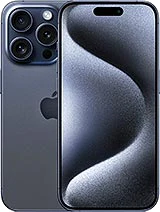 iPhone 15 Profrom € 179
 iPhone 15 Plusfrom € 149
 iPhone 15from € 149
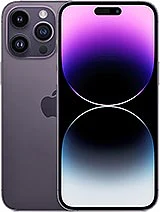 iPhone 14 Pro Maxfrom € 139
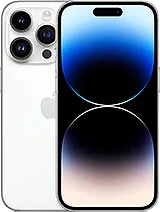 iPhone 14 Profrom € 129
 iPhone 14 Plusfrom € 139
 iPhone 14from € 129
 iPhone 13 Pro Maxfrom € 149
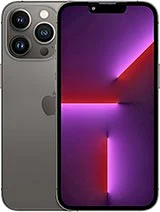 iPhone 13 Profrom € 149
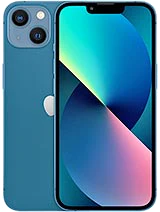 iPhone 13from € 99
 iPhone 13 Minifrom € 99
 iPhone 12 Pro Maxfrom € 119
 iPhone 12 Profrom € 129
 iPhone 12from € 99
 iPhone 12 Minifrom € 109
 iPhone 11 Pro Maxfrom € 129
 iPhone 11 Profrom € 139
 iPhone 11from € 99
 iPhone XS Maxfrom € 99
 iPhone XSfrom € 109
 iPhone XRfrom € 109
 iPhone Xfrom € 89
 iPhone 8 Plusfrom € 99
 iPhone 8from € 89
 iPhone 7 Plusfrom € 89
 iPhone 7from € 69
 iPhone SE 2022 (3rd gen)from € 89
 iPhone SE 2020 (2nd gen)from € 89
Does this sound familiar?
- Your photos are consistently blurry or out of focus
- The image shakes or hums in the camera app
- Black screen as soon as you open the rear camera
- The camera app crashes or closes on its own
What you can try yourself first
Restart your iPhone
A full restart sometimes fixes a temporary software glitch, so the camera app responds normally again.
Check for updates
See if a system update is available. Outdated software sometimes makes the camera app unstable.
Clean the lens
Wipe the lens gently with a dry, soft cloth. Dirt or dust can sometimes cause the same blurry image.
Close other apps
Close apps that use the camera in the background and test again to see if the image stays stable.
How FIXNOW handles it
Diagnosis
We thoroughly test the rear camera: focus, image stabilization, and the connector. This tells us whether the module itself is the problem.
Repair
If the module is faulty, we replace it. If the damage is only in the protective glass, we point you to the separate camera glass repair.
Testing
After the repair, we check sharpness, stabilization, and the camera app. That way you can start taking photos normally again right away.
Module or glass: why the difference matters
A crack on the back isn't always the same problem as blurry photos. If the damage is only in the protective camera glass, the separate camera glass repair is enough. If the image shakes or hums, or the app keeps crashing, that points to the camera module or the connector behind it — a different part and a different procedure. FIXNOW checks this during the diagnosis, so you never replace more than necessary.
Frequently asked questions
Can I still use the camera if the image shakes or hums?
You can, but faulty optical stabilization won't fix itself. Have your device checked in time at FIXNOW in Antwerp or Wolvertem.
Is this the same as repairing a cracked camera glass?
No. With a cracked camera glass, we only replace the protective glass in front of the lens. Here, it's about the camera module itself: the part behind that glass that captures your photos and videos.
Why does my camera app keep crashing?
A crashing camera app often points to the camera module or its connector. During the diagnosis, we quickly see which of the two it is.
Do my photos and data stay safe during the repair?
We only replace the camera module; your photos and data are left untouched. You're always welcome to make a backup, but for this procedure it's usually not necessary.
Can I wait at FIXNOW while it's repaired?
Often, yes: your iPhone is frequently ready while you wait. Feel free to stop by in Antwerp or Wolvertem, and we'll take a look together at the counter.
Our stores

FIXNOW Antwerpen
Wiegstraat 13, 2000 Antwerpen
Today: 10:00–18:00
+32 469 44 22 19

FIXNOW Wolvertem
Wilgenlaan 19 bus 2, 1861 Wolvertem
Today: Closed
+32 472 29 15 53