
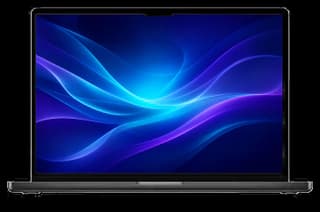
MacBook Pro 16" M2 Pro (2023) charging port repair
Repaired by our specialists in Antwerp & Wolvertem — no prepayment.
€149
Charging and/or connecting to a computer is not possible.


Also usable for your insurance claim Insurance claims
All MacBook models: charging port repairDoes your MacBook Pro 16" M2 Pro (2023) no longer charge, or only at a certain angle? A dirty or worn charging port is a common problem. FIXNOW cleans or replaces the charging port so your device charges smoothly and reliably again.
What does this repair involve?
Fast repairBest for: The charging cable is loose, doesn’t grip well, or the MacBook won’t charge.
- The cable clicks in firmly and securely again
- Stable power delivery and reliable charging
- Function thoroughly tested after the repair
Is the charging problem coming from the MagSafe 3 charging port on your MacBook Pro 16" M2 Pro (2023)?
Charging on your MacBook Pro 16" M2 Pro (2023) takes place via MagSafe 3. If charging stops working properly, the charging port is checked and cleaned first, since dust or debris is often the cause. If the port itself turns out to be damaged, the part containing the MagSafe 3 charging port is replaced, which depending on the model can mean a port or a board with the connector.
From 2,117 Google reviews
What customers say

Amazing service. My phone couldn’t charge, they cleaned my phone’s usbc port and now it works perfectly. Very friendly people and great service.
Reply from FIXNOW
A phone that wouldn’t charge, now working perfectly after a USB-C port cleaning in Antwerp — small job, big difference, Daniel. Good to read the team came across as friendly while you waited, too. If anything else ever plays up with your phone, we’re ready to take a look.

Came in for a loose charging port on a saturday morning, got helped fast with a professional clean, 10/10 service
Reply from FIXNOW
A loose charging port only gets worse if you leave it, so good timing walking in on Saturday morning. A careful clean often does the trick, and a charging port repair in Antwerp rarely keeps anyone waiting long. Enjoy that solid connection again!

Walked in for quick fix/cleaning of charging port. Was immediately helped, no charge. Great guys!
See our repairs in action
Common MacBook Pro 16" M2 Pro (2023) problems
Charges poorly or not at all
If you need to wiggle the cable to charge, there’s often lint in the port or the contacts are worn.
Cable no longer holds
Does the MagSafe connector no longer attach firmly, or does the USB-C cable sit loose in the port? The contacts are often dirty or damaged.
Only charges at an angle
Does your laptop only charge when the plug sits at a certain angle or when you press on it? Then the contacts or the port itself need replacing.
How it works

Diagnosis
We check whether cleaning is enough or whether the charging port needs to be replaced.
Repair
We clean the contacts or fit a new charging port.
Testing
We test charging with a cable and — where applicable — data transfer.

Why FIXNOW?
Parts & warranty
At FIXNOW you know upfront what a repair costs: we start with a diagnosis and discuss the price before we begin — no surprises afterwards. We work with high-quality parts and give a warranty on the repair carried out. If something doesn’t turn out as agreed, we work together to find a suitable solution.
Our stores
FIXNOW Wolvertem
Wilgenlaan 19 bus 2, 1861 Wolvertem
+32 472 29 15 53
Tuesday–Saturday 10:00–19:00
DirectionsNot nearby? Send in your device
Choose a FIXNOW shipping label, with extra protection if you want, or send it yourself with track & trace. You only pay after the repair. Available from Belgium, the Netherlands, France, Germany and Luxembourg.
Frequently asked questions
FIXNOW repairs the battery, screen, keyboard, trackpad, charging port and motherboard on this model. We also treat water damage, and when in doubt about the cause we run a diagnostic first. On this page you’ll see per repair the current price, estimated duration and warranty period. Most requested repairs: battery replacement and screen replacement.