Skip to content
4.962,120 Google reviews“Friendly staff, good service and fast”— Andrei M.
Antwerp 5.0Wolvertem 4.9Up to 1 year warranty•Ecocheques

Xbox HDMI port replacement

4.962,120 Google reviews

Your Xbox is on, but your TV shows nothing. No picture, no signal, or a black screen that flickers on and off. Frustrating, right when you wanted to play. Still, it’s usually not that bad: this issue is a classic with consoles and can be fixed well.

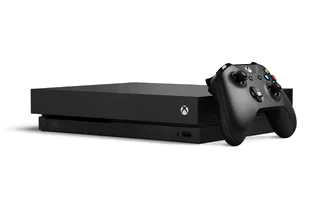
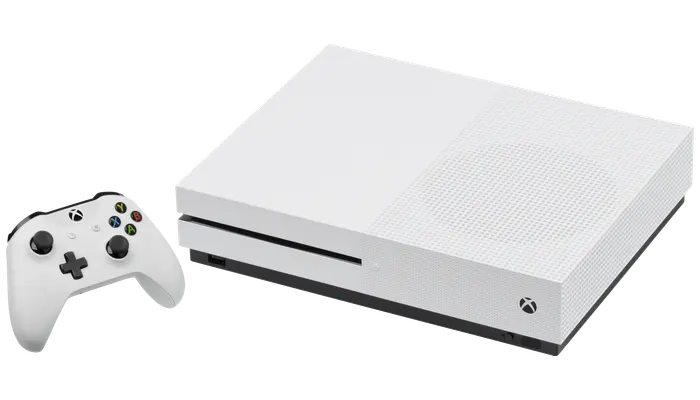
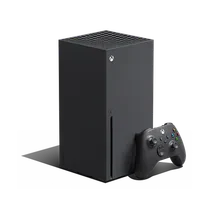
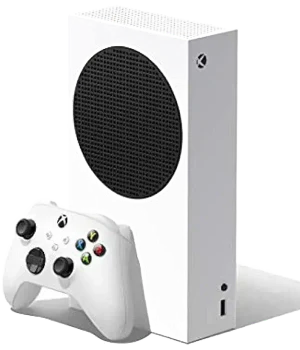
With both the Series X and the Series S, the cause is often the HDMI port itself: bent pins or a loose connection on the logic board. FIXNOW first rules out the cable and TV, then repairs the port with microsoldering. You’re welcome in Antwerp and Wolvertem.

Choose what is wrong with your device

Some repairs come in several versions. Choose below which one fits your device — the price per model is further down.

HDMI port

from €169

Best for: The HDMI port is loose or damaged, or the picture cuts out or flickers when the cable is moved.

More info
  • We replace the damaged HDMI port with a new one
  • Picture and sound are tested after the repair

Please note

No picture despite a good cable? The problem may be the HDMI chip behind the port. In that case, choose the HDMI chip repair.
HDMI chip replacement

from €179

Best for: Your console shows no picture, even with another cable or TV, while the HDMI port itself looks fine.

More info
  • We replace the HDMI chip behind the port
  • This needs micro-soldering on the motherboard
  • Picture and sound are then tested on a TV

Please note

Is the HDMI port itself loose or damaged? Then choose the HDMI port repair instead.

Price per model

Does this sound familiar?

  • Your TV shows "no signal" while the Xbox is on
  • The picture drops out now and then and comes back
  • You have to wiggle the HDMI cable before a picture appears
  • The screen stays black, even after restarting the console
  • The Xbox’s HDMI port feels loose or wobbles

What you can try yourself first

Illustration of Volodymyr, head technician at FIXNOW, holding tweezers with a small part
1

Test the same cable on another device

Connect the HDMI cable to another TV or monitor. If that shows no picture either, the cable is at fault, not your Xbox.

2

Try a different HDMI input on your TV

Sometimes one input on the TV loses proper contact. Switch to another port and see if the picture comes back.

3

Test with a different cable

A second, working HDMI cable immediately rules out the cable itself as the culprit.

4

Inspect the port, but don’t force anything

Do you see a bent pin in your Xbox’s port? Don’t straighten it yourself. The pin will break off faster and the repair becomes harder.

How FIXNOW handles it

1

Diagnosis

We first rule out the cable and TV as the cause. Then we inspect the HDMI port and logic board of your Series X or Series S, and discuss the price for your model.

2

Repair

We fix bent pins or a loose connection with microsoldering directly on the logic board. That way the port connects firmly and correctly again.

3

Testing

We connect the console to a TV and check that the picture stays stable, even when we move the cable. Only then do we hand the device back to you.

Why this happens so often with consoles

A broken HDMI port is a classic issue with game consoles — we see the exact same problem with the PlayStation. It’s usually bent pins or a connection coming loose from the logic board. A quick fix isn’t enough here: we repair the port with microsoldering on the logic board itself, so everything is secure again the way it should be.

Frequently asked questions

Can I replace the HDMI port on my Xbox myself?

We’d advise against it. The port is soldered onto the logic board; without the right equipment you can quickly damage other components. Leave this to our technicians in Antwerp or Wolvertem.

Is the problem always the Xbox’s HDMI port itself?

Not always. A faulty cable or a failing HDMI input on the TV gives exactly the same symptom. That’s why we rule those two out first before looking at the console itself.

Does this also work for the Xbox Series S?

Yes. Both the Series X and the Series S suffer from this issue: bent pins or a loose connection on the logic board. We repair both models.

How do I know if the pins in the port are bent?

Look at the port with a flashlight. If the pins aren’t neatly aligned, something is bent. Don’t straighten anything yourself: that often makes the damage worse.

What does it cost to have the HDMI port replaced?

The price per model is on this page. We run a diagnosis first and discuss the price before we start the repair.

Do I get a warranty on the repair?

Yes, on the repair performed and the parts used. The exact warranty period is listed next to the price for your model on this page.

Our stores

FIXNOW Antwerpen

FIXNOW Antwerpen

Wiegstraat 13, 2000 Antwerpen

Opening hours

+32 469 44 22 19

FIXNOW Wolvertem

FIXNOW Wolvertem

Wilgenlaan 19 bus 2, 1861 Wolvertem

Opening hours

+32 472 29 15 53

Book an appointment or send your device to one of our stores.